Raven doesn't just make the definition work — it makes it readable. Layout, groups, labels, colours.
1. One prompt, a whole cleanup
"please clean up the canvas, group the components and organize it neatly"
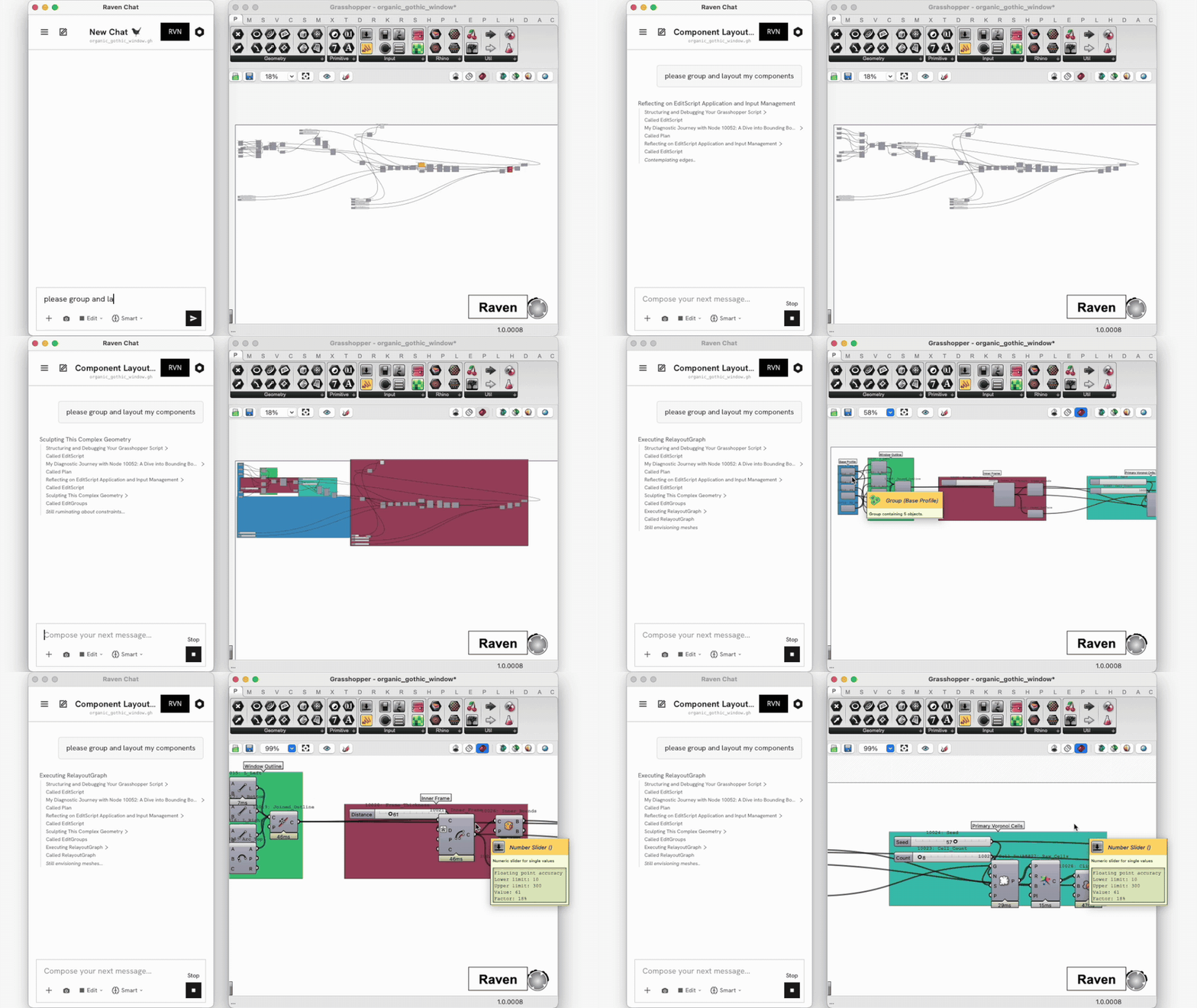
Watch what happens in that clip:
- Raven reads the graph and reasons about which components belong together.
- Components are repositioned into a clean left-to-right flow.
- Related components are wrapped into coloured, named groups — Parameters, Step Base Surface, Step Volume, Spiral Array, Display.
- The result lands in review with an accept/reject bar.
2. Labelling and colour
Every group Raven creates gets a nickname and a description — so the canvas documents itself. Group colour can be set too, which is what turns a long definition into something you can navigate at a glance.
"Group the panel logic and colour it blue."
Raven named these groups Parameters, Step Base Surface, Step Volume, Spiral Array and Display, and gave each its own colour — see the image at the top of this page.
3. Preview control
Raven can also toggle Rhino viewport preview per component — show these, hide everything else, or the inverse. Useful for isolating one part of a definition visually without disabling anything.
"Only show the facade preview."